Why Play on the fc66 App?
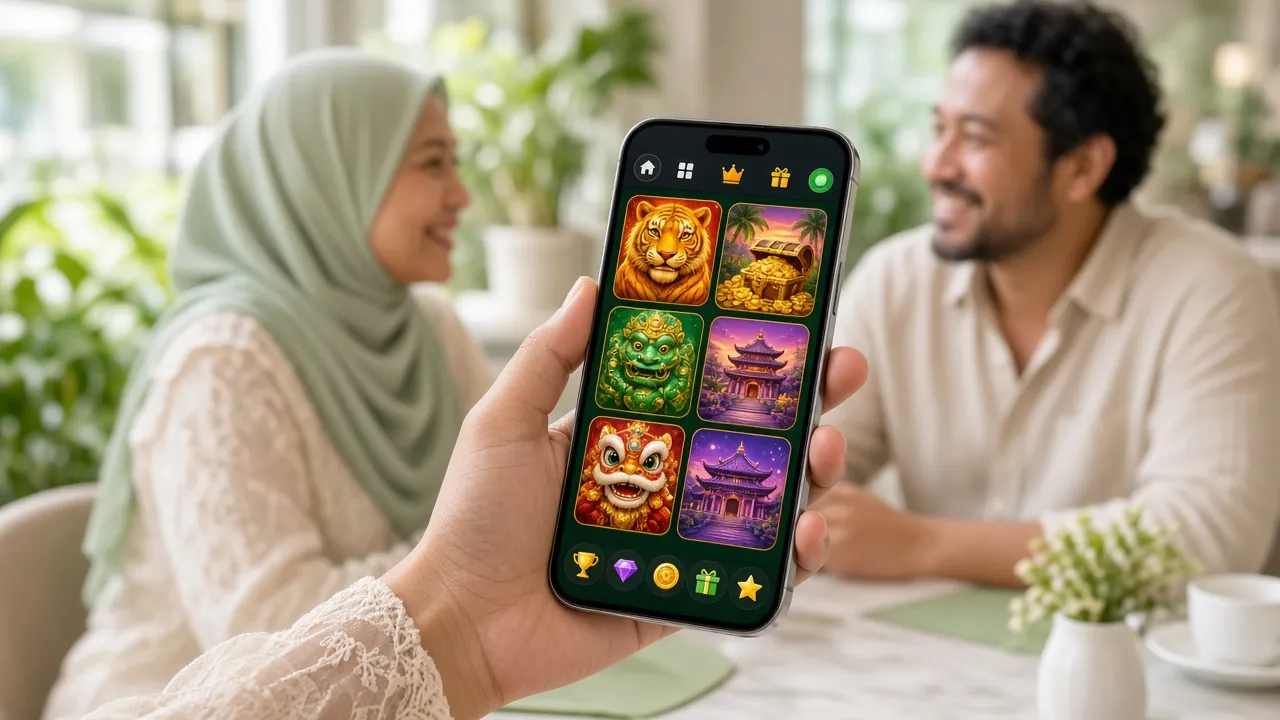
The fc66 App is purpose-built for Malaysian players who want their casino and sports action on the go. It mirrors the full web platform — same games, same wallet, same live chat — but with a touch-optimised layout and faster page loads on mobile data.
- Access all 3,700+ games including slots, live casino, keno, and sports titles from Pragmatic Play, PG Soft, Evolution, and more
- Deposits credited in under 1 minute; withdrawals processed in under 3 minutes via DuitNow and Touch 'n Go eWallet
- Optimised for one-handed play — compact lobby, large tap targets, and quick-launch shortcuts for your favourite games
- 24/7 Live Chat stays open in the app background so support is never more than a tap away
Installing the APK on Android: Step by Step
Because the fc66 App is distributed directly — not through Google Play — you need to allow installation from unknown sources before you begin. This is a standard Android security step and takes about 10 seconds.
-
1
Allow Installation from Unknown Sources
On your Android device, go to Settings → Security (or Privacy on Android 10+) and toggle Install Unknown Apps to On. If prompted per-app, enable it for your browser or file manager. This permission tells Android you trust APK files downloaded outside of Google Play. You can turn it off again after installation.
-
2
Download the fc66 APK File
Tap the Download APK button on this page. Your browser will save
fc66.apk(45 MB) to your Downloads folder. Wait for the download bar to reach 100% — do not close the browser tab mid-download, as this can corrupt the file and cause installation errors. -
3
Open the APK File
Pull down your notification shade and tap the completed download notification, or open your Files / My Files app and navigate to Downloads. Tap
fc66.apk. Android will show a security prompt — tap Install Anyway to proceed. The installation takes roughly 15–30 seconds depending on your device. -
4
Launch the App & Log In
Once installed, tap Open in the installer or find the fc66 icon on your home screen. If you already have an fc66 account, enter your username and password on the Login screen. First-time players can tap Register to create a new account in under two minutes — your welcome bonus applies immediately after your first deposit.
-
5
Keep the App Updated
The fc66 App does not auto-update through a store. When a new version is released, a banner appears inside the app with a one-tap download link. Version 2.0.13 (last updated 10 Nov 2026) is current as of this page. Updating takes the same steps as the initial install — your account data is never deleted during an update.
iPhone & iPad: Use the Web App
Apple's App Store policies prevent direct APK distribution for iOS. The good news: fc66.info is a fully responsive mobile site. Add it to your home screen and it behaves like a native app — full-screen launch, no browser chrome, and fast load times over Safari's cached assets.
- Open fc66.info in Safari on your iPhone or iPad.
- Tap the Share button (the box with an arrow pointing up) in the Safari toolbar at the bottom of the screen.
- Scroll down the Share sheet and tap Add to Home Screen.
- Edit the shortcut name to "fc66" if you like, then tap Add in the top-right corner.
- The fc66 icon appears on your home screen. Tap it to launch the site in full-screen mode — no address bar, just the game lobby.
Quick Comparison
| Feature | Android APK | iOS Web App |
|---|---|---|
| Installation | Native APK | Safari shortcut |
| Push Notifications | Yes | Limited |
| Offline Cache | Partial | None |
| Full-screen Launch | Yes | Yes |
| All Games Available | Yes | Yes |
| MYR Deposit/Withdraw | Yes | Yes |
Security & Permissions: What the App Requests
The fc66 App requests only the permissions it genuinely needs. No access to your contacts, call logs, or SMS. Here is what gets requested and why.
Internet Access
Required to load the game lobby, connect to live casino streams, and process deposit and withdrawal transactions. Without this permission the app cannot function. The connection is encrypted using TLS 1.3 so your session data and payment details are protected in transit at all times.
Storage Read/Write
Used only to save the downloaded APK during self-update and to cache game assets for faster loading on subsequent sessions. The app never reads personal files, photos, or documents stored on your device. You can revoke storage access in Android settings after installation if preferred.
Notifications
Optional. Enable to receive alerts for deposit confirmations, withdrawal status updates, and new promotions. You will be asked to grant this permission the first time you log in. It can be turned off at any time under Settings → Apps → fc66 → Notifications without affecting gameplay or payouts.
APK Source & Integrity
Download the APK only from this page (fc66.info/fc66-app/). We do not distribute through third-party APK sites or Telegram. Each build is digitally signed — Android will block installation if the signature does not match. If your antivirus flags the file, it is a false positive common with gambling APKs; the file is safe when downloaded directly from fc66.info.
App vs Web: Which Should You Use?
Both the fc66 App and the mobile website share the same account, wallet, and game library. The differences come down to how you prefer to play. Here is a full side-by-side so you can make an informed choice.
| Comparison Point | fc66 Android App | fc66 Mobile Web | fc66 Desktop Web |
|---|---|---|---|
| Access Method | Installed APK — tap icon | Safari / Chrome browser | Any desktop browser |
| Game Load Speed | Fastest (cached assets) | Fast | Fast (broadband) |
| Number of Games | 3,700+ | 3,700+ | 3,700+ |
| Push Notifications | Yes — deposit & promo alerts | No | No |
| MYR Deposit Methods | Touch 'n Go, DuitNow, FPX, Bank Transfer | Touch 'n Go, DuitNow, FPX, Bank Transfer | Touch 'n Go, DuitNow, FPX, Bank Transfer |
| Min. Deposit | RM20 | RM20 | RM20 |
| Live Casino Streams | Yes — full HD | Yes — may buffer on slow data | Yes — best on broadband |
| Landscape / Portrait | Both supported | Portrait optimised | Landscape only |
| Auto-update | In-app banner prompt | Always latest version | Always latest version |
| Recommended For | Daily mobile players | Occasional mobile use | Home/office play |
Already have an account? Head straight to the fc66 login page to sign in on any device.
System Requirements & Download
App Details
| Parameter | Details |
|---|---|
| File Name | fc66.apk |
| Version | 2.0.13 |
| File Size | 45 MB |
| Minimum Android | Android 8.0 (Oreo) |
| Last Updated | 10 November 2026 |
| Price | Free |
| Languages | English · Bahasa Melayu |
| iOS | Web App via Safari |
Not yet registered?
Download the app first, then set up your fc66 account inside it. New players get a 160% Welcome Bonus up to RM800 on their first deposit of RM20 or more.
Register NowSee full Bonus & VIP details
What's Available Inside the fc66 App
Every game category on the full platform is available in the app. Here are the six sections you will use most, along with what to expect from each.

Slots
Over 2,000 slot titles from Pragmatic Play, PG Soft, FA Chai, KA Gaming, and Ezugi. Bet from as low as RM0.10 per spin. Fan favourites include Ultra Treasure (RTP 95.8%), Bikini Paradise (RTP 95.7%), and Dragon Tiger. All paylines and bonus rounds are identical to the desktop versions — no mobile-only restrictions.

Live Casino
HD-streamed tables from Evolution and Ezugi cover Baccarat, Roulette, Blackjack MH (RTP 97.6%), and Dragon Tiger. Minimum bets start at RM1. The app switches automatically between portrait and landscape so you get the best view of the table layout. 24-hour live dealer availability with Malaysian croupiers on selected tables.
Lottery & Keno
Quick-draw formats including Lucky Dragons, Super Keno (RTP 97.0%), Keno Bonus Number, and Bingo Adventure from Evolution and PG Soft. Rounds take 3–5 minutes — perfect for short sessions. Bet from RM0.10 and pick as many numbers as you like. Results are drawn live with animated displays, not pre-generated random numbers.
Sports Betting
Pre-match and in-play markets on football (English Premier League, La Liga, Bundesliga), badminton, e-sports, and more. Golden Leopard (PG Soft) bridges the sports and games category with dynamic odds. Minimum bet RM2. Cash-out is available on selected markets. Statistics and live scores update in real time within the app without switching to another screen.
Fishing Games
Cannon Fishing from Evolution leads this category, with RTP 96.5% and bets from RM1 up to RM100 per shot. Fishing games are touch-optimised by design — tapping to aim and shoot feels natural on mobile in a way it never quite does with a mouse. Great for players who want skill-influenced action rather than pure luck.
Cashier & Promotions
Deposit and withdraw without leaving the app. Touch 'n Go eWallet transfers credit in under 1 minute; withdrawals take under 3 minutes to your registered bank. The Promotions tab shows your active bonus, current VIP tier progress, and the daily 0.4% cashback balance. Need help? Live Chat is pinned at the bottom of every screen.
Want to explore the full game library before downloading? Browse the fc66 Casino page for a complete category overview.
Common Installation Problems & Fixes
Most issues during APK installation trace back to one of five causes. Work through the table below before contacting support — the fix usually takes under two minutes.
| Problem | Likely Cause | How to Fix It |
|---|---|---|
| "Install blocked" message | Unknown sources permission not enabled for the browser or file manager you used to open the APK | Go to Settings → Security → Install Unknown Apps, find your browser (e.g. Chrome) in the list, and toggle Allow from this source to On. Then tap the APK file again. |
| "App not installed" error after tapping Install | Corrupt or incomplete download — often caused by closing the browser before the file finished | Delete the partial APK from your Downloads folder. Reconnect to a stable Wi-Fi network, return to this page, and re-download fc66.apk from scratch before attempting to install again. |
| App installs but crashes on launch | Device is running Android 7.1 or lower, which is below the minimum requirement of Android 8.0 | Check your Android version under Settings → About Phone → Software Information. If it is below 8.0, you cannot use the APK — use the fc66.info mobile website in Chrome or Firefox instead. |
| Antivirus flags the APK as suspicious | Heuristic false positive — common with gambling APKs that use financial APIs; the file is not malicious | This is a known false positive with certain antivirus engines. Download only from fc66.info/fc66-app/ to ensure file integrity. You may temporarily pause your antivirus during installation, then re-enable it once the app is running. |
| Login fails or shows "Session expired" immediately | Device clock is out of sync, or the app is trying to connect to servers through a VPN that blocks the region | Turn off any VPN. Enable automatic date and time under Settings → General Management → Date and Time. Restart the app. If the problem persists, clear the app cache under Settings → Apps → fc66 → Storage → Clear Cache, then try again. |
Still stuck after trying the steps above? Open 24/7 Live Chat inside the app or on fc66.info and share a screenshot of the error message. Support typically responds within 2 minutes.
Frequently Asked Questions
Is the fc66 APK safe to install on my phone?
Yes, provided you download it from this page (fc66.info/fc66-app/) and nowhere else. The APK is digitally signed with the fc66 developer certificate — Android will refuse to install a tampered copy. The app requests only three permissions (internet, storage, and optional notifications) and contains no ad SDK, tracking library, or access to personal data beyond what you enter when creating your account. If your antivirus raises a warning, it is a heuristic false positive common with financial and gambling applications. Download from the official URL and you are covered.
My installation keeps failing — what should I try first?
Work through these three checks in order: (1) confirm Unknown Sources is enabled specifically for the browser or file manager you used to open the file, not just for the system globally; (2) delete the existing download and re-download over Wi-Fi rather than mobile data to rule out a corrupt file; (3) make sure your device has at least 100 MB of free storage — some devices refuse to install if internal storage is below this threshold. If all three are fine and it still fails, contact 24/7 Live Chat with a screenshot of the error screen.
How do I update the fc66 App to the latest version?
When a new version is available, a banner appears on the home screen of the app itself — tap it to download and install the update. You can also check this page: the current version is always listed in the System Requirements table above. The update process is identical to the initial installation (download APK → open → install), but takes under a minute because Android only patches the changed components. Your account balance, game history, and preferences are fully preserved. Version 2.0.13 is current as of 10 November 2026.
Can I use the fc66 App on my iPhone or iPad?
Apple's App Store guidelines do not currently permit real-money gambling APKs for Malaysian players. However, fc66.info is a fully responsive web application that works in Safari on any iPhone or iPad running iOS 14 or later. Add the site to your home screen (Safari Share → Add to Home Screen) for a full-screen, app-like experience with no browser toolbar. All games, payment methods, and account features are available. The only difference from Android is that you will not receive push notifications for deposits and promotions.
Do I need a separate account for the app and the website?
No. Your fc66 account is a single account that works across all platforms — Android app, iOS web app, and desktop browser — simultaneously. Your wallet balance, bonus credits, VIP tier, game history, and saved payment methods are all shared in real time. You can start a slot session on the app during your lunch break and continue from exactly the same point on desktop when you get home. If you do not yet have an account, register on fc66.info and use the same credentials to log in on the app.
Does the welcome bonus apply if I register through the app?
Yes — the 160% Welcome Bonus up to RM800 applies regardless of whether you register through the app, the mobile website, or the desktop site. The bonus triggers automatically on your first deposit of RM20 or more. Wagering requirement is 7× on the combined deposit and bonus amount. The 7-day validity clock starts from the moment the bonus is credited to your account. For full terms including eligible games and minimum odds, see the Bonus & VIP page.
How much mobile data does the app use per hour?
Data consumption depends heavily on game type. Slot games use roughly 10–30 MB per hour because assets are cached after the first load. Live casino streams are the most data-intensive at approximately 150–300 MB per hour at standard quality. Sports betting and keno use 20–60 MB per hour. The app does not auto-play video ads or load unused content in the background. If you are on a limited data plan, connect via Wi-Fi for live casino sessions and use mobile data for slots and table games, where the difference is barely noticeable.
- 18+ Only
- SSL Encrypted
- 24/7 Live Chat
- Touch 'n Go eWallet
- DuitNow & FPX
- Android 8.0+